Getting started
This guide walks you through the basics of how to use @uncloud/run.
Examples projects:
First steps
Getting started with @uncloud/run is simple - all you have to do is to run it next to a Dockerfile:
npx @uncloud/run

# 1. @uncloud/run builds the image remotely
# 2. It then launches it with a unique URL
# 3. Streams logs to your terminal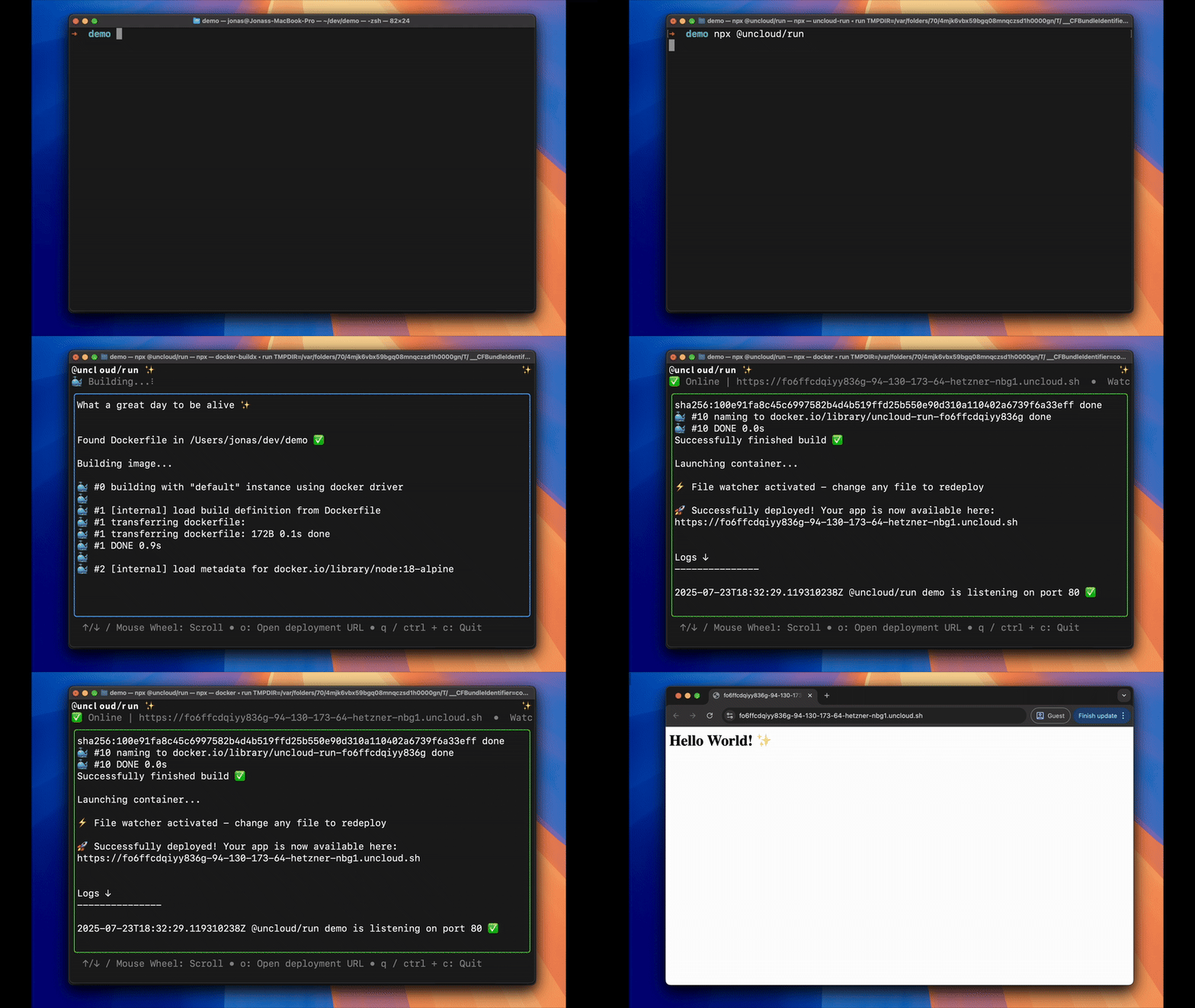
Redeploying
Next, to redeploy you can simply change any file and @uncloud/run will automatically redeploy.
Env Vars
Environment variables are crucial to configuring any server, that’s why we’ve built in .env file support:
echo "NAME=Jonas" > .env

# When you now run @uncloud/run
# it will automatically set these
# env vars. Try changing the .env file!
npx @uncloud/run
Notice how you’re now seeing feedback about the loaded .env file:
✅ Read 1 var(s) from env file .env